QR Codes on Direct Mail: Dynamic Codes and Scan Tracking
By Alec Boye, President, Mail Processing Associates
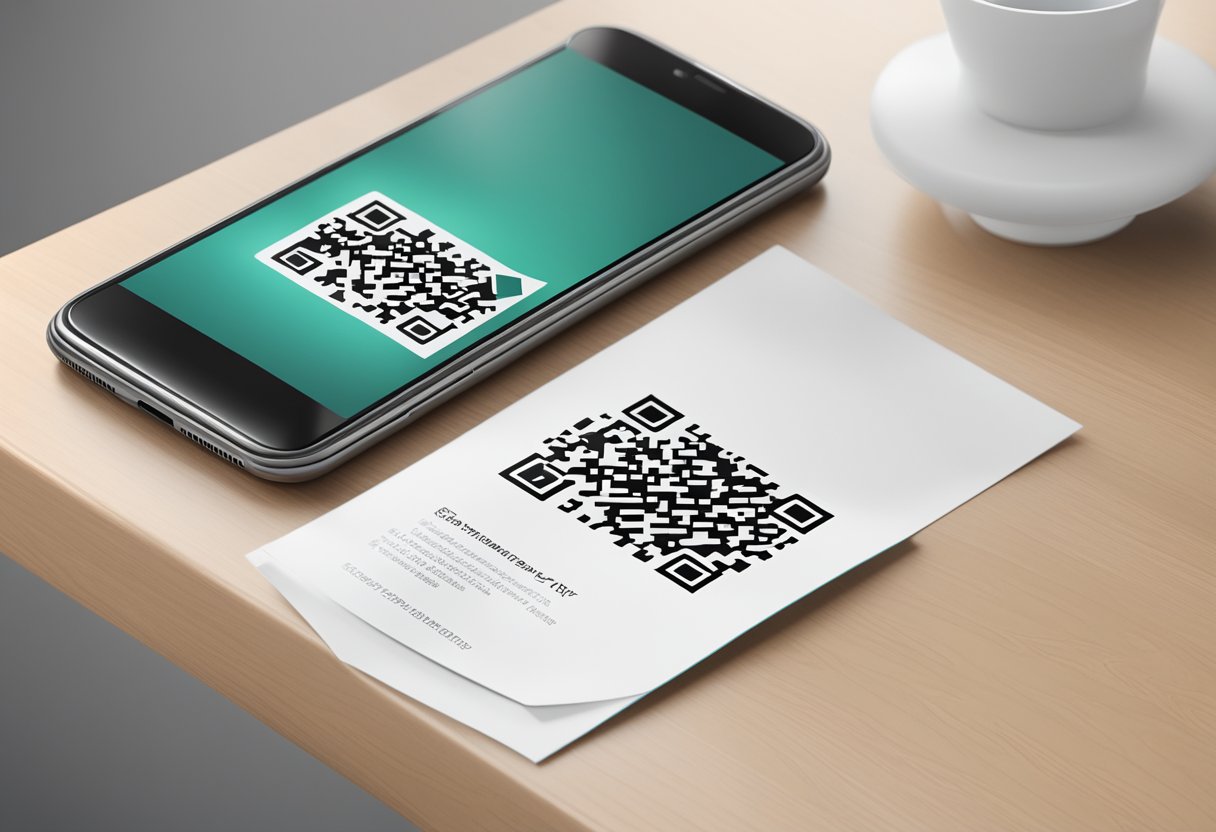
A QR code is the cheapest way to make a piece of direct mail measurable. Using QR codes on direct mail bridges the gap between offline and online marketing, making it easier for customers to interact with your brand and measurable for marketers to attribute the response. This approach captures attention at the mailbox, tracks engagement in real time, and gives you the data you need to refine the next campaign before you go back to press.
QR codes are now the dominant scan technology on direct mail in 2026. Native camera-app QR support on iOS (added in 2017) and Android (built into most stock camera apps by 2020) eliminated the historical friction of installing a third-party scanner, and the COVID-19 era normalized the gesture well beyond early adopters. A response that used to mean typing a URL from a postcard into a phone is now a two-second camera gesture, and that is the single biggest behavioral shift in direct mail measurement of the last decade.
At Mail Processing Associates, we have been operating commercial printing and direct mail since 1989, and we run our own QR tracking platform at appmpa.com (the AppMPA product) so that customers who want hands-off scan analytics on their mail can get it without standing up their own tech stack. This article covers what QR codes do on direct mail, how to design and place them for maximum scan rate, how to choose between static and dynamic codes, how AppMPA fits in for businesses that want owned-system attribution, and where the technology is going next.
What Is a QR Code on Direct Mail?
A QR code on direct mail is a scannable code printed on the mail piece that opens a landing page, offer, or form on the recipient's phone and records the scan, so the response can be attributed back to the mailing. Roughly 90% of households open their direct mail (USPS Mail Moments Review 2024); the scan is what makes that attention measurable. Dynamic QR codes are the version worth printing, because the destination can be changed after the mail drops and every scan is logged.
Mail Processing Associates prints and mails QR-coded pieces from its single Lakeland, Florida facility and runs its own scan tracking platform at appmpa.com.
The Role of QR Codes in Direct Mail Marketing
QR codes give direct mail marketing something it lacked for a century: a response path that is instant for the recipient and countable for the sender. The mail piece becomes a launchpad, not a dead end.
Enhancing Engagement with QR Codes
Using QR codes in direct mail lets recipients access additional content effortlessly. When someone scans the code, they can be directed to your website, a product video, a special offer, a configurator, or an instant-discount checkout flow. This removes the friction of manually typing a URL on a phone keyboard, the step where most paper-to-web responses used to die.
Benefits of QR Codes for Engagement:
- Instant Access: Customers obtain information without typing URLs.
- Interactive Content: Direct them to videos, surveys, or live product demos.
- Personalization: Tailor the landing page based on customer segment, geography, or recipient identity (with variable data printing).
- Measurement: Every scan logs a measurable event, converting a paper piece into a tracked digital session.
The lift is measurable on your own campaigns: mail the same offer with and without a prominent QR code, and compare scans and landings against pieces mailed. That test costs nothing extra to run and tells you more than any industry benchmark.
Tracking Response Rates and Analytics
QR codes offer a powerful tool for measuring the effectiveness of your direct mail campaigns. By integrating tracking capabilities, you can gather data on how many scans each code receives, where scans happen geographically, what device the scanner used, and what time of day scans cluster. This is the response data direct mailers have wanted for a hundred years.
Key Metrics to Monitor:
- Scan Rates: Total scans divided by pieces mailed (drop quantity) gives you a clean engagement baseline.
- Time-to-First-Scan: Median time from in-home date to first scan, useful for predicting tail-end performance on long campaigns.
- Customer Journey: Track how customers move from scan to landing page to conversion (using UTMs on the destination URL).
- Device and Geography: Where scans come from by device type and region, captured at the redirect.
- Repeat Scan Rate: Multiple scans from the same device or network often signal shared decision-making (B2B or family financial decisions); tying repeats to a specific household takes per-recipient codes (the Pro tier).
The in-home date matters more than most first-time QR mailers expect, because every timing metric above is measured from it.
"The single most-overlooked variable in direct-mail performance isn't creative or list quality. It's USPS handoff timing. Get that wrong and your response window collapses by two weeks."
Alec Boye, President, Mail Processing Associates
▶ Get a quote on your next print and mail project - Learn more about our print and mail services
Dynamic vs Static QR Codes: Which to Use on Direct Mail
This is the single most-misunderstood decision in QR direct mail. The two technologies look identical on the printed page, but they behave very differently after the mail piece is in the recipient's hand. Picking the wrong type can lock you out of measurement entirely or force a costly reprint when a URL changes.
Static QR codes encode the literal destination URL directly into the visual pattern of the QR itself. The URL is baked into the printed dots. Whatever you put in the QR at print time is what every scanner sees forever. If you printed a 5,000-piece run that points to mailpro.org/spring-sale and the marketing team renames the page to /spring2026, every scanned QR on every printed piece now lands on a 404 page. There is no way to redirect it without reprinting the run.
Dynamic QR codes encode a short redirect URL controlled by a QR tracking platform (something like appmpa.com/r/spring-postcards). When a recipient scans, the platform receives the request server-side, logs the scan event (count, time, geo, device, IP), and 302-redirects the visitor to the real destination URL of your choosing. The real destination can be changed any time without reprinting, and the platform captures scan analytics even if the visitor immediately bounces from the landing page.
| Capability | Static QR | Dynamic QR |
|---|---|---|
| Change destination after print | No (requires reprint) | Yes (instant, server-side) |
| Scan count tracking | Only via UTM-tagged URL + GA4 landings (no scan visibility) | Server-side, every scan counted |
| Geo / device / time-of-day analytics | No (GA4 sees only landings, not scans) | Yes, captured at redirect |
| A/B test destinations | No (would require two QR variants in print) | Yes (split traffic at the redirect) |
| Cost per code | Free (generate yourself) | Tracking platform fee (typically a flat fee per campaign) |
| Per-recipient uniqueness | Only via variable data printing of unique encoded URLs | Yes, via VDP at the redirect-token level (AppMPA Pro) |
| Best use case | One-off evergreen offers, business cards, locked-in URLs | Any campaign you will iterate, sequence, or A/B test |
| Common pitfall | URL rename after print breaks every QR in the field | Forgetting to renew the tracking platform subscription (codes go dark) |
The decision rule: use static QRs only for one-shot evergreen offers where the destination is locked in and unlikely to change (a vanity short URL on a business card, a brochure pointing to the homepage). Use dynamic QRs for any campaign you might iterate, sequence into multi-touch flows, A/B test, or want real scan analytics on. For almost every direct mail campaign, dynamic is the right answer.
"The question I get on every QR campaign is whether dynamic codes are worth the platform fee. Run the math once and you will never go back to static. On a 10,000-piece dynamic-QR campaign at the $49 AppMPA Basic tier, the per-piece cost of tracking is half a cent. That buys you scan count, geo, device, and the ability to swap the destination URL the day you discover the landing page has a typo. The risk of NOT tracking is reprinting 10,000 pieces because someone renamed a page."
Cat Boye, Head of Commercial Operations, Mail Processing Associates
AppMPA: MPA's In-House QR Tracking Layer
Mail Processing Associates owns and operates AppMPA (live at appmpa.com), our first-party QR tracking platform built specifically for direct mail campaigns. We built it because customers kept asking us to add scan tracking on top of the print and mail services we already provided, and the general-purpose QR platforms were either over-engineered for direct mail or priced for digital-native SaaS workflows rather than per-campaign mail drops.
AppMPA runs three tiers. Basic and Plus are priced flat per campaign rather than per scan, so the cost is known before you go to press; Pro is quoted per job because it adds variable data production:
- Basic ($49 per campaign): one shared dynamic QR for the whole drop, aggregate scan analytics, and a customer-facing dashboard URL you can share with your team. Best fit for a single-drop campaign that needs one shared code (EDDM saturation drops, neighborhood postcards, local restaurant promotions), at any quantity.
- Plus ($149 per campaign): everything in Basic plus a branded short URL on the piece and MPA-prepared scan reports at 30, 60, and 90 days after the drop. Best fit for multi-location businesses and marketing directors who need to report attribution upward.
- Pro ($299+ per job): unique per-recipient QR codes via variable data printing, piece-level scan attribution (you know exactly which household or business scanned), and per-recipient drill-down in the dashboard. Best fit for B2B account-based marketing, donor stewardship mailings, and healthcare-recall campaigns where individual-level response data is required.
AppMPA is one option, not the only option. If you already use a CRM or URL-shortener platform that supports QR tracking, it works fine with MPA-produced mail. What AppMPA adds is a tighter fit with the mail-drop workflow: our team drops the QR PNG into the press file before prepress sign-off rather than as a separate post-design hand-off, the dashboard link is handed over once USPS has accepted the mailing so the first thing you see is real scans rather than zeros, and on the Pro tier the per-recipient codes are generated from the same validated mailing list the job is presorted from. For customers who want a single point of accountability across print, mail, and scan attribution, the in-house option is simpler to operate.
Creating Compelling Content for QR Code Campaigns
Engaging your audience through QR codes relies heavily on the quality of the content you provide. Effective design, clear calls to action, and enticing offers can significantly increase engagement and conversion rates. A well-placed QR with a weak call to action will underperform a clumsy QR with a strong, specific offer behind it.
Designing QR Codes for Maximum Impact
Start with size and position. The minimum is 1 inch by 1 inch on a standard postcard; on larger pieces (jumbo postcards, self-mailers, catalogs) scale up to 1.25 to 1.5 inches so the code reads as a deliberate element rather than a stamp. Place it where the eye finishes reading: on most postcard layouts that is the front face, bottom-right corner, after the headline and the offer, so the code is the last thing the recipient sees before deciding what to do.
Then contrast. The QR pattern needs strong contrast against its background to scan reliably, dark modules on a light field, and black-on-white is safest. Inverting (white-on-color) can work if the color is dark enough, but always test it on a real phone before going to press. Incorporating your logo within the QR is fine within limits: the highest QR error-correction level (H) can recover about 30 percent of the code's data, and a logo consumes part of that margin, so keep it well under a quarter of the code's area and test the result.
Always test the QR codes for functionality before printing. Scan the proof on at least three different phones (one iPhone, one Android, one older Android) under varied lighting. Use a reliable QR generator that allows scan tracking (AppMPA, or a comparable platform) so you can refine future campaigns. An eye-catching design drives scans, but a code that fails to resolve drives reprints.
Crafting Effective Calls to Action
The CTA is the instruction printed next to the code, and it should state the value behind the scan. "Scan for $20 off" beats "Scan for special offer" because it removes the curiosity-tax the recipient has to pay before they know if scanning is worth their time, and both beat a bare code with no instruction at all.
Position the CTA inside the code's visual footprint, not in a caption somewhere else on the piece. A QR code with no instruction next to it reads as decoration; the same code with a specific instruction and a stated payoff gets scanned. If the offer has a deadline, print it in the CTA, because a date does more work than any amount of urgency language.
Coupling QR Codes with Special Offers
Offers that earn a scan include limited-time promotions, an instant-discount code applied at checkout, a downloadable guide, or access to member-only content, and the offer belongs directly next to the code. For nonprofit appeals, the equivalent of a discount is a doubled-donation match window with a printed end date. The mechanic is the same in both cases: a specific reward with a deadline beats a vague invitation.
Integrating Digital and Physical Marketing Channels
The mail piece is the awareness layer; the QR scan is the conversion layer; the post-scan landing page is the experience layer. Each one has to be built for the one that follows it.
Linking Direct Mail to Digital Platforms
The landing page has to match the mail piece one-to-one: same offer, same headline language, same imagery, so the scanner knows immediately they are in the right place. It must be mobile-first (a QR scan comes from a phone camera, so the click lands on a phone screen) and load in under 3 seconds, because a scanner who has to wait for a page tends to give up.
Harmonizing QR Codes with Social Media Strategies
A QR code can also send the scanner to a social profile instead of a landing page: a follow prompt, a featured Reel, or a short-form video that carries the offer. This works best when the social content is the offer, not a detour on the way to it.
For multi-platform campaigns, dynamic QRs are essential, because you may want to swap the destination from Instagram to TikTok to YouTube depending on which platform is producing the best post-scan engagement for that quarter, without reprinting the piece.
Innovations and Trends in QR Code Usage
Dynamic QR Codes for Real-time Updates
The clearest illustration is an event campaign. The same printed QR can point to the registration page in the pre-event window, switch to the live-stream URL on the day of the event, and switch again to the on-demand recording afterward, all without reprinting a single piece. This keeps your audience informed and engaged at every phase.
Augmented Reality and Interactive Experience
An AR experience behind a QR code is the most expensive thing you can put on a mail piece and, for a narrow set of products, the most effective. A scan opens 3D models, videos, or animations rendered through the phone's camera in the recipient's own space.
This technology creates an immersive experience, allowing customers to visualize products or services in new ways. For example, a furniture catalog could allow customers to see how a piece fits in their home; a paint manufacturer could let recipients preview wall colors live; a real-estate developer could let prospects walk through a property's floor plan in AR before scheduling an in-person tour.
The trade-off is production cost: AR experiences require a 3D-asset pipeline behind the QR, which adds development time. The use cases where the math works are high-consideration, high-AOV purchases (furniture, real estate, cars, premium appliances) where a single converted recipient covers the AR-development cost many times over. For everything else, a fast landing page with a clear offer will outperform it.
Per-Recipient Variable QR Codes for Piece-Level Attribution
The frontier in QR direct mail is variable data printing combined with per-recipient unique QR codes, so every printed piece carries a different QR that maps to a different tracked entity in your CRM. This is the only way to answer the question "which household scanned my mail?" without ambiguity.
Production-wise, this requires variable data printing on a digital press (we use the Xerox Iridesse for color VDP work and the Xerox Nuvera for high-volume black-and-white). At the data layer, your mailing list and your QR-tracking platform need to share a recipient ID (often the recipient's address-hash or a CRM contact ID) so the scan event can be matched back to the recipient record. AppMPA's Pro tier ($299+) handles the data plumbing and integrates with the press file production so the unique QR PNG for each piece lands in the right slot on the right page of the imposed PDF.
Use cases that justify the cost of unique-per-piece QR tracking: B2B account-based marketing (50-piece prospect lists where you want to know exactly who engaged), donor stewardship (matching scans back to giving history in the donor CRM), healthcare recall mailings (matching scans back to patient records for follow-up), and any campaign where the response of a single recipient is worth more than $50 of revenue.
🎯 Serving this industry - Learn how nonprofits save with our nonprofit postage rates
Best Practices for QR Codes on Direct Mail
Scan reliability is covered above under design. What remains is the part most QR campaigns skip: the legal requirements on the destination and on whatever you do with the data after the scan.
Legally Compliant QR Code Marketing
Legal considerations are crucial when using QR codes in your direct mail campaigns. Ensure that your QR code leads to a secure website (HTTPS, not HTTP) that complies with data protection regulations, such as GDPR if targeting the EU or CCPA if targeting California residents.
Clearly disclose what information you will collect when users scan the QR code. Transparency builds trust and encourages engagement. Provide an alternative way for recipients to access the same content without scanning (a phone number or a printed short URL), ensuring inclusivity for older recipients who may not scan QR codes or accessibility-impaired recipients who cannot.
If your QR code links to promotional materials, ensure those materials comply with advertising laws (CAN-SPAM for any follow-up email, TCPA if the landing page captures phone numbers for SMS marketing).
Frequently Asked Questions
Using QR codes in direct mail can significantly enhance engagement and response rates. Below are answers to common questions about how to effectively integrate QR codes into your campaigns.
How can QR codes enhance direct mail campaigns?
QR codes offer easy access to digital content, making it simple for recipients to engage with your message. By linking to videos, websites, or special promotions, you can drive traffic and boost interaction without cluttering the mailer itself. The biggest unlock is attribution: a QR scan logs a measurable touchpoint that converts a paper piece into a tracked digital session in GA4 or your CRM.
What are the best practices for integrating QR codes into direct mail?
Place the code prominently (front face, bottom-right, where the eye finishes reading the headline and offer), pair it with a clear call to action like "Scan for instant access," size it at least 1 inch by 1 inch, and use a contrasting background. Always test the destination URL on a real phone before going to press, and verify that the landing page is mobile-friendly and loads in under 3 seconds.
How do I track the effectiveness of a QR code in my direct mail?
Two complementary methods: tag the destination URL with UTM parameters so GA4 logs each visit as direct mail traffic, and use a dynamic QR system that counts scans server-side. The dynamic-QR layer gives you scan count, geo, device, and time-of-day data that UTMs alone cannot capture, because UTMs only fire if the visitor lands on the page after scanning.
Are there any security concerns with using QR codes on direct mail?
Yes. The two real risks are QR-jacking (a malicious party covers your printed code with a sticker QR pointing somewhere else) and brand-spoofing (someone prints a lookalike piece with a malicious destination). Mitigations: use a branded short URL printed in plain text near the QR so recipients can verify the destination, monitor scan-source geography in your dynamic QR dashboard, and respond fast if you see unexpected scan spikes from unusual regions.
Can QR codes be personalized for each recipient in a direct mail campaign?
Yes. Variable data printing (VDP) generates a unique QR code on every piece in the run, each pointing to a unique tracking URL that resolves to the same or a personalized landing page. This unlocks piece-level attribution: you know exactly which recipient scanned, when, and what they did next. MPA produces VDP QR runs on the Xerox Iridesse for color jobs and Xerox Nuvera for high-volume black-and-white.
What types of content are most effective when linked to a QR code on direct mail?
Highest engagement comes from short-form video (under 90 seconds), a tightly-scoped landing page that matches the mail piece offer one-to-one, an instant discount code applied at checkout, or a guided product configurator. Long-form blog content underperforms because it asks the scanner to read more after they already opened your mail.
Can I track who scanned my direct mail QR code?
You can track WHICH recipient scanned only if you use variable data printing with unique per-piece QR codes (the AppMPA Pro tier). With one shared QR for the whole mailing, you get aggregate scan count, geo, device, and time data but cannot identify individual recipients. The Pro tier of MPA's AppMPA tracking system supports unique-per-piece QRs out of the box, with VDP production handled in-house.
What is the difference between a UTM-tagged QR and a dynamic QR for direct mail?
A UTM-tagged QR encodes a static URL with UTM parameters in the QR pattern itself; scan data lives in GA4 after the visitor lands. A dynamic QR encodes a short redirect URL controlled by a tracking platform; scan data is captured server-side at the redirect, BEFORE the visitor reaches your page, so you count every scan even if the user bounces. Most production direct mail uses dynamic QRs because the server-side scan count is the cleaner attribution signal. The two can be combined: a dynamic QR redirect to a UTM-tagged destination URL gives you both scan-side and landing-side data.
Do QR codes on direct mail actually get scanned in 2026?
Yes, when the code is placed well and the offer behind it is worth the scan. The pandemic-era normalization of native camera-app QR scanning on iOS and Android removed the friction of installing a scanner app, which was the historical scan-rate ceiling, and the mail itself still gets opened: roughly 90% of households open their direct mail (USPS Mail Moments Review 2024). Scan rate on any one campaign depends on placement, the call to action, and the offer, so measure it as total scans divided by pieces mailed rather than leaning on an industry average.
If you want QR tracking on your next mailing, Mail Processing Associates prints, mails, and tracks the campaign from one facility in Lakeland, Florida, with AppMPA supplying the scan attribution. Request a quote and tell us which tier fits the job.